Movement library
Find movements by discipline and level, then open the teaching detail behind each one.
Search and filters · Cues and modifications · Favorites
Inside Flowstate · Early access
Explore the tools for planning a single class, guiding students, and building retreats and teacher training programs.

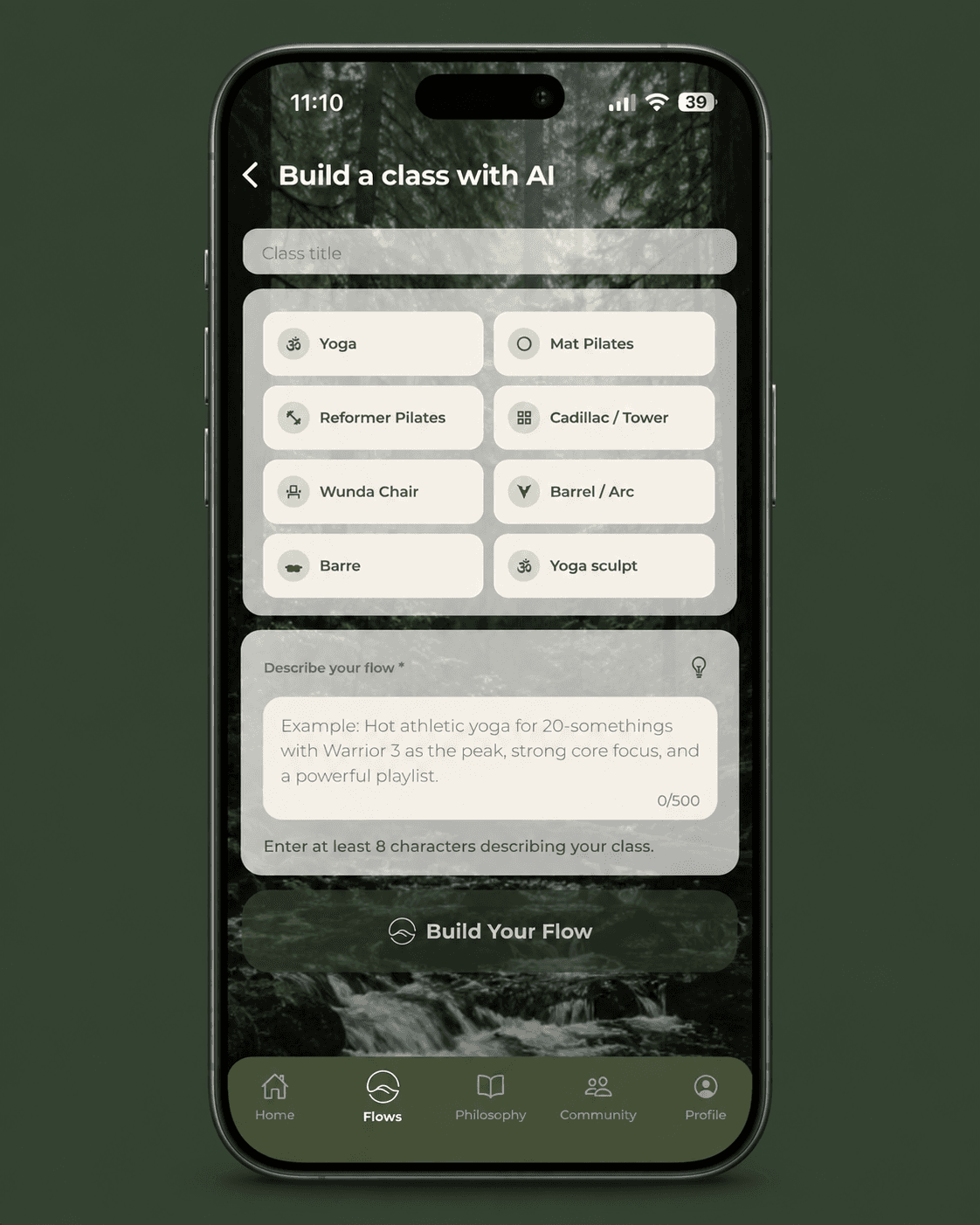
01 · Class building
Start with an AI-assisted draft or use the teacher builder to shape your own sequence. Keep your intention, discipline, and teaching voice at the center of the plan.
In practicePlan a 45-minute vinyasa with a balance focus, then make the transitions and cues your own.
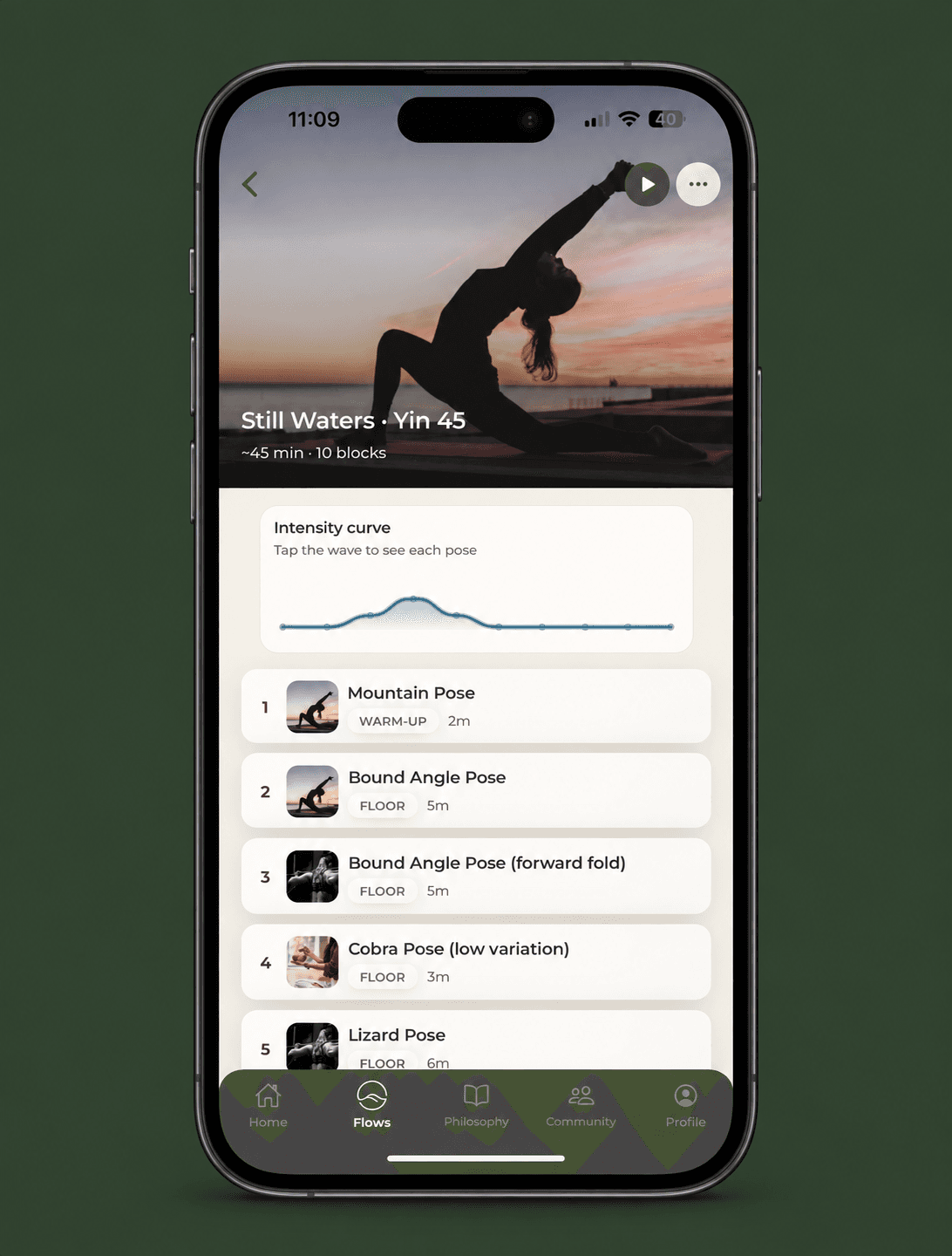
02 · Prepare and teach
Review the whole sequence before class, then move into Live Teach mode when it is time to guide your students.
In practiceCheck the arc from warm-up to rest before you step onto the teaching floor.
03 · Retreat planning
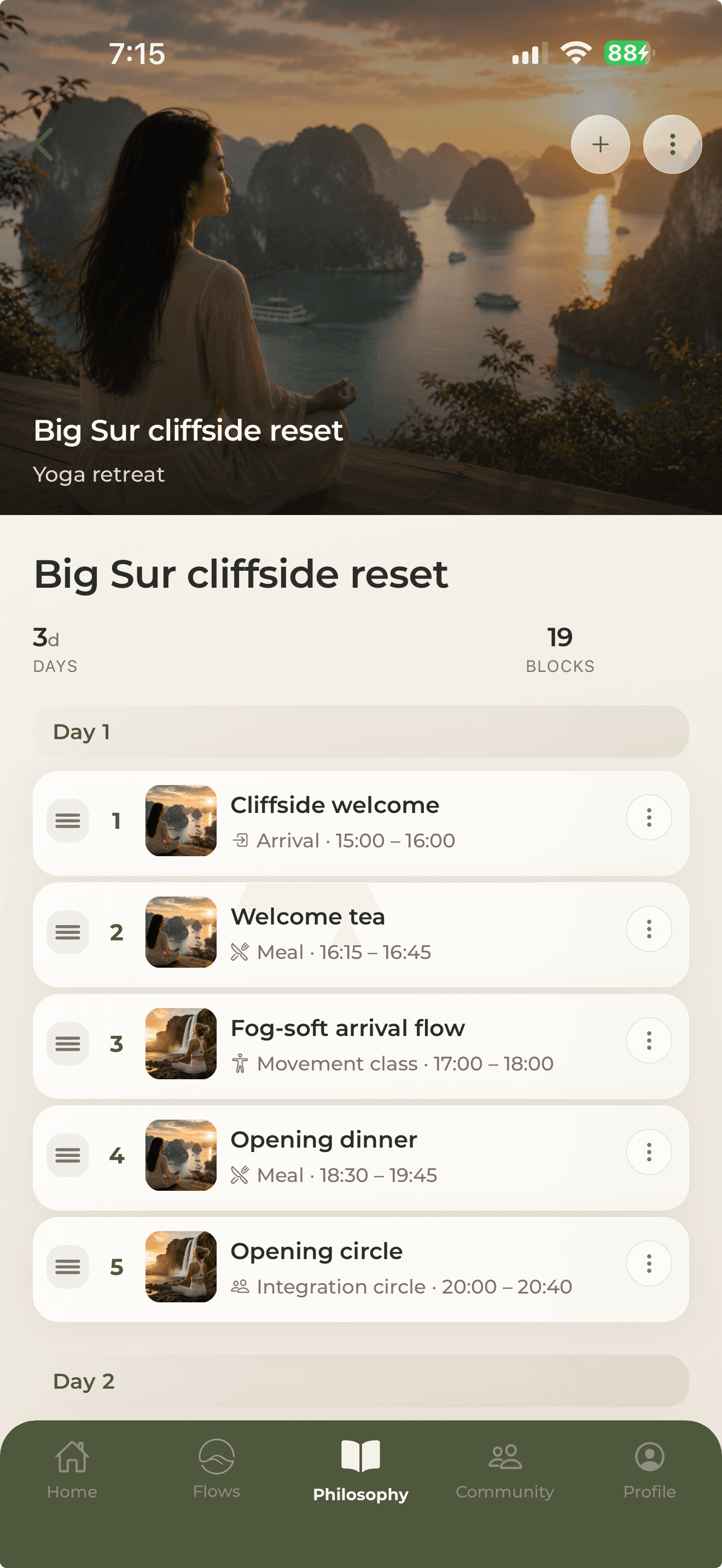
Bring movement sessions and the moments between them into one multi-day retreat plan. Organize the experience by day instead of keeping a separate list for every activity.
In practiceA three-day retreat can begin with welcome tea, an arrival flow, dinner, and an opening circle.
04 · Training planning
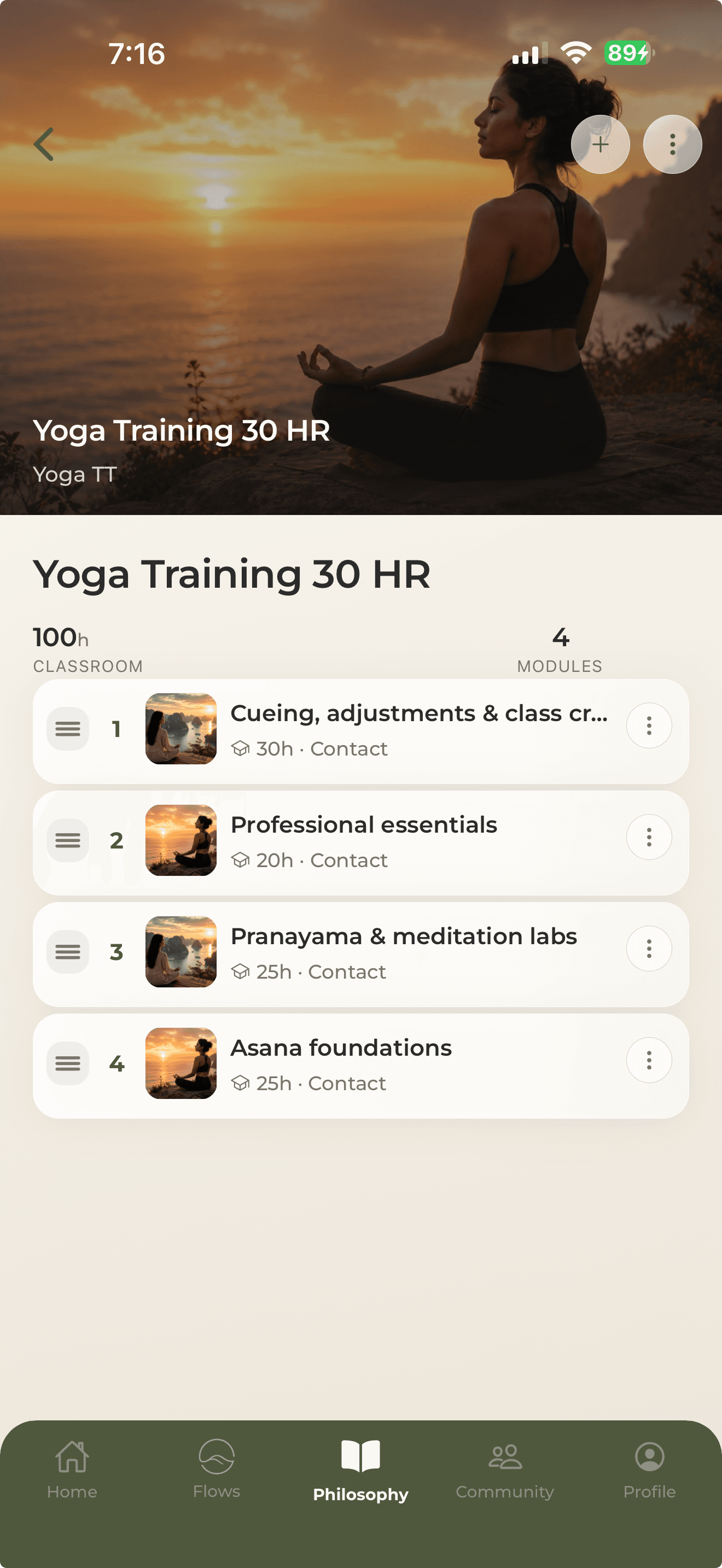
Structure a teacher training around modules and classroom hours. See how the program fits together as you organize its subjects and teaching blocks.
In practiceGroup asana foundations, cueing, professional essentials, and meditation labs into a clear learning path.
The everyday workspace
Find movements by discipline and level, then open the teaching detail behind each one.
Search and filters · Cues and modifications · Favorites
Keep classes on your schedule and use saved templates as a starting point for your next plan.
Class scheduling · Saved flows · Reusable templates
Explore teaching ideas and philosophy articles, and connect through the community feed.
Articles by subject · Shared inspiration · Teacher conversations
The practice behind your teaching · Early access
The end of class can be the beginning of your next insight. Bring class capture and AI post-class feedback into your teaching practice, with room to reflect in your own voice.
Keep a record of the teaching you want to revisit.
Use AI post-class feedback as a starting point for your own observations.
Bring what you notice into the next class you plan.
Class capture and AI feedback are rolling out during early access. Availability varies by plan and rollout. Live streaming is on the horizon.
Join the WaitlistConnect your teaching world
Keep your teaching calendar and social sharing connected to your workspace. Availability depends on your connected account, plan, and rollout. See founding memberships.
Instagram: Share Reels from the Community composer with a connected Business or Creator account.
TikTok: Share class videos from the Community composer to your connected TikTok account.
Google Calendar: Integrates with Google Calendar™ to keep teaching blocks visible where you already look.
Instagram, TikTok, and Google Calendar are trademarks of their respective owners. Their inclusion indicates compatibility, not endorsement.
The next chapter of your teaching
Help shape Flowstate. Join the waitlist for early access to a calmer teaching workspace.
We’ll be in touch when invites open.